
SHORT VERSION
Invoicing runs behind because the invoice is built out of the job record, and the job record isn’t finished when the work is. On most jobs, “complete” only means the electrician left the site. So the office assembles the bill days later from a thin note, a missing receipt and a phone call, and every job that needs a phone call is a job that waits. The fix is to make complete mean billable: the job can’t move to complete until the pieces the invoice is built from are attached to it.
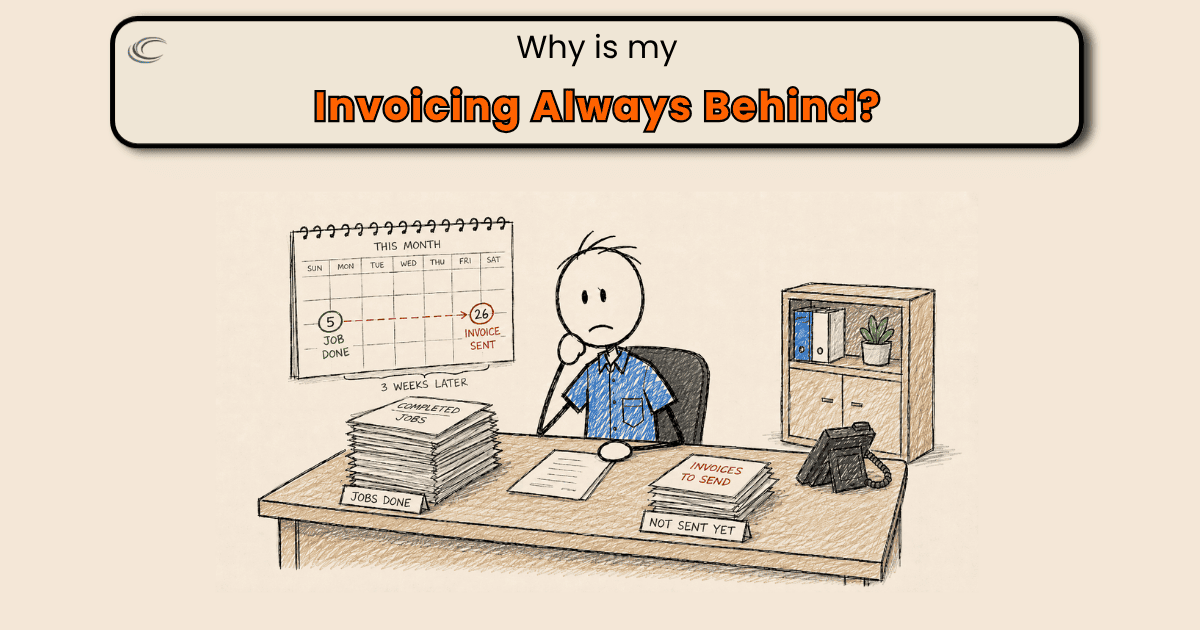
Invoicing is always behind because the job closes before the job record does. An invoice gets built out of whatever was captured on the job, and right now a job can be marked complete while half of what the invoice needs is still on a truck, on a phone, or in somebody’s head.
Nobody is sitting on invoices. The office is holding jobs it can’t bill yet.
What the invoice is waiting on
Usually it isn’t everything. It’s one piece.
- Material that came off the truck and never got recorded
- The supply house receipt still in the door pocket
- Photos on a personal phone
- Authorization for the work the customer added while your guy was already there
- On a light-commercial call, the work-order number or the not-to-exceed amount that accounting will bounce the invoice back without
The office opens the job on Thursday. The note says “replaced outlet.” A GFCI receptacle, two device plates and a handful of connectors came off the truck and never made it onto the job.
Now there are two options. Bill what’s visible and eat the rest, or text a journeyman who’s in an attic. Either way, that job goes back in the pile.
Why does the job close before the record does?
Because complete is a status, not a step. It gets set from the truck when the work is done and the next call is already dispatched, and nothing at that moment treats three empty fields as a problem. There’s no point between that button and the office opening the job where an incomplete record stops anything.
That stretch is where the weeks come from. One question added to a job turns it into a job waiting on an answer, and the answer comes back whenever your guy next has a gap. Do that across a week of calls and the pile is permanent.
Make complete mean billable
One rule, and the system has to hold it instead of somebody remembering it: a job cannot be set to complete until everything the invoice is built from is attached to it. Material used, photos, authorization, signature, receipt. Missing any of them, the job doesn’t close.
That’s the whole thing, and it’s the only version that holds, because it’s the only version where an incomplete record stops something at the moment it’s incomplete rather than surfacing four days later in the office.
That rule puts the close where the pieces are, which is on site, before the truck moves. Not batched at the shop at 7pm from memory, and not at the office from a note somebody has to interpret.
Not everything on that list comes from the field, though. A work-order number and a not-to-exceed amount come from the customer, so they get required at intake, not at the close.
By the time your guy is standing at the panel, there’s nobody there to produce them. The close verifies they’re on the job. Intake is what puts them there.
And “everything” isn’t one list. A service call is not a panel change with a permit and an inspection to record, and neither one is a property-management repair that needs a work-order number and tenant damage separated onto its own lines.
That’s three definitions of complete. One list covering all three will either stop a simple service call over a field that doesn’t apply to it, or let a commercial job through missing the number that gets it paid. Set them once, per type of work, and they hold, because the requirement lives in the system instead of in anybody’s memory.
Common questions
What does a closed job actually need on it before it can be billed?
The original complaint, what was found, what was done, the material that came off the truck, before-and-after photos, the customer’s approval for anything added, and the completion signature. Light-commercial adds the work-order or purchase-order number and the not-to-exceed amount, both of which have to be collected back at intake. If any of it is missing, someone in the office has to reconstruct it, and that’s where the days go.
Can a job really get closed out in the field?
That’s the only place it can be closed accurately, because that’s where the information is. The office is working from what it was handed. What makes it possible is having the required pieces on the same screen as the close, so finishing the job and finishing the record are one action instead of two.
Do I need different software for this, or can I do it with what I’ve got?
Start with what you’ve got. The question to put to your system is whether it can actually stop a job from moving to complete when a required field, form or photo is missing, or whether it can only warn. That answer decides whether the rule holds on its own or needs a person checking behind it every day.
Is it better to invoice at completion or batch them weekly?
Batching isn’t what’s costing you. A weekly batch built from complete records goes out on time, and no amount of daily effort speeds up a record that’s still missing a receipt. Fix what a closed job contains and the timing question mostly answers itself.